

App Showcase - Make your doodles glow
A drawing app for iPhone and iPad that turns simple doodles into glowing artwork. Play with light and colour, replay every stroke, then share your creation as a photo or video.
- App
- LumiDraw
- Year
- Platform
- iOS (iPhone + iPad)
Overview
Status: Coming soon to the App Store
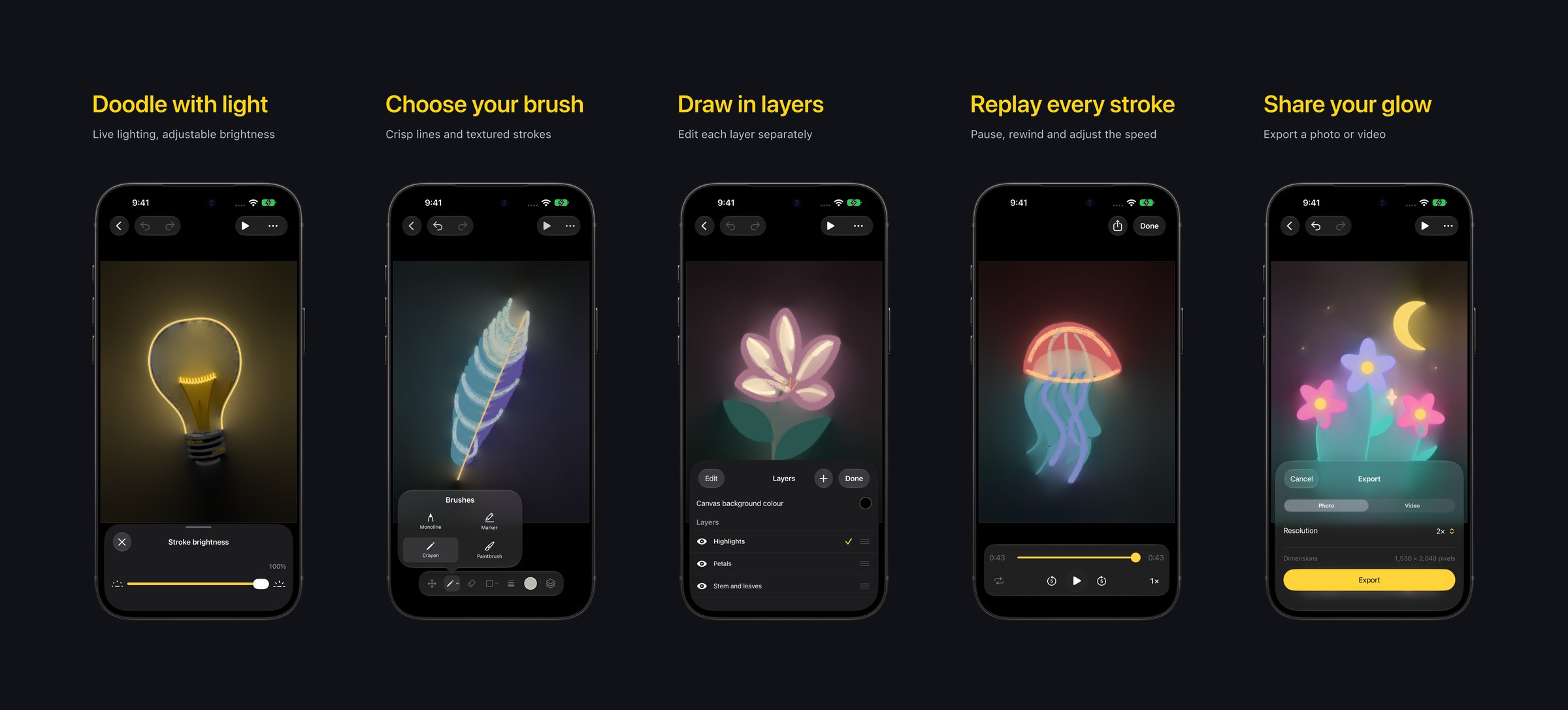
LumiDraw explores a simple idea: drawing with light should feel as approachable as doodling. Draw stars, flowers, little creatures or whatever comes to mind, and watch your strokes light up the scene as you draw.
Choose crisp lines or textured strokes, adjust their brightness and build your drawing in layers. When you’re finished, replay it stroke by stroke. Pause, jump to any point, loop or change the speed, then export the drawing as a photo or its replay as a video.
Technical approach
We built LumiDraw with Swift, SwiftUI and UIKit, taking advantage of:
- PencilKit: Drawing input, with every layer’s strokes kept editable
- Metal: A custom renderer that uses radiance cascades to light the canvas from your strokes
- CloudKit: Optional drawing sync through your private iCloud database
- StoreKit and RevenueCat: Monthly Plus and Lifetime Plus, which unlock the same features
Key features
- Glowing strokes
- Adjustable brightness
- Crisp and textured brushes
- Layers
- Stroke replay
- Photo and video export
- Optional iCloud sync
- No account needed
Development insights
In LumiDraw, strokes act as light sources. Each stroke’s colour is emitted as light, and darker strokes can block it, so light can spill through the gaps between them.
The biggest challenge was keeping the artwork and its lighting consistent while a drawing changes. Live strokes, finished strokes, layers, erasing and replay each need the renderer to show the right state at the right moment. The same care goes into reopening saved drawings and exporting photos and videos.
Free and Plus
LumiDraw is free to download and keeps up to three saved drawings. Free photo and video exports include a watermark. No separate LumiDraw account is needed, and drawings are stored on your device by default.
LumiDraw Plus adds unlimited saved drawings, watermark-free photo and video exports, canvas captures and optional iCloud sync. Choose Monthly Plus, an automatically renewing monthly subscription, or Lifetime Plus, a one-time purchase. Both unlock the same features, and the app shows your local price before you buy.
Support and privacy
Find answers about drawings, exports, iCloud sync and restoring Plus on the LumiDraw support page. The LumiDraw privacy policy explains how drawings, purchases and optional iCloud sync are handled.
- Free saved drawings
- 3
- Ways to share: photo and video
- 2
- On iPhone and iPad
- iOS 17+